
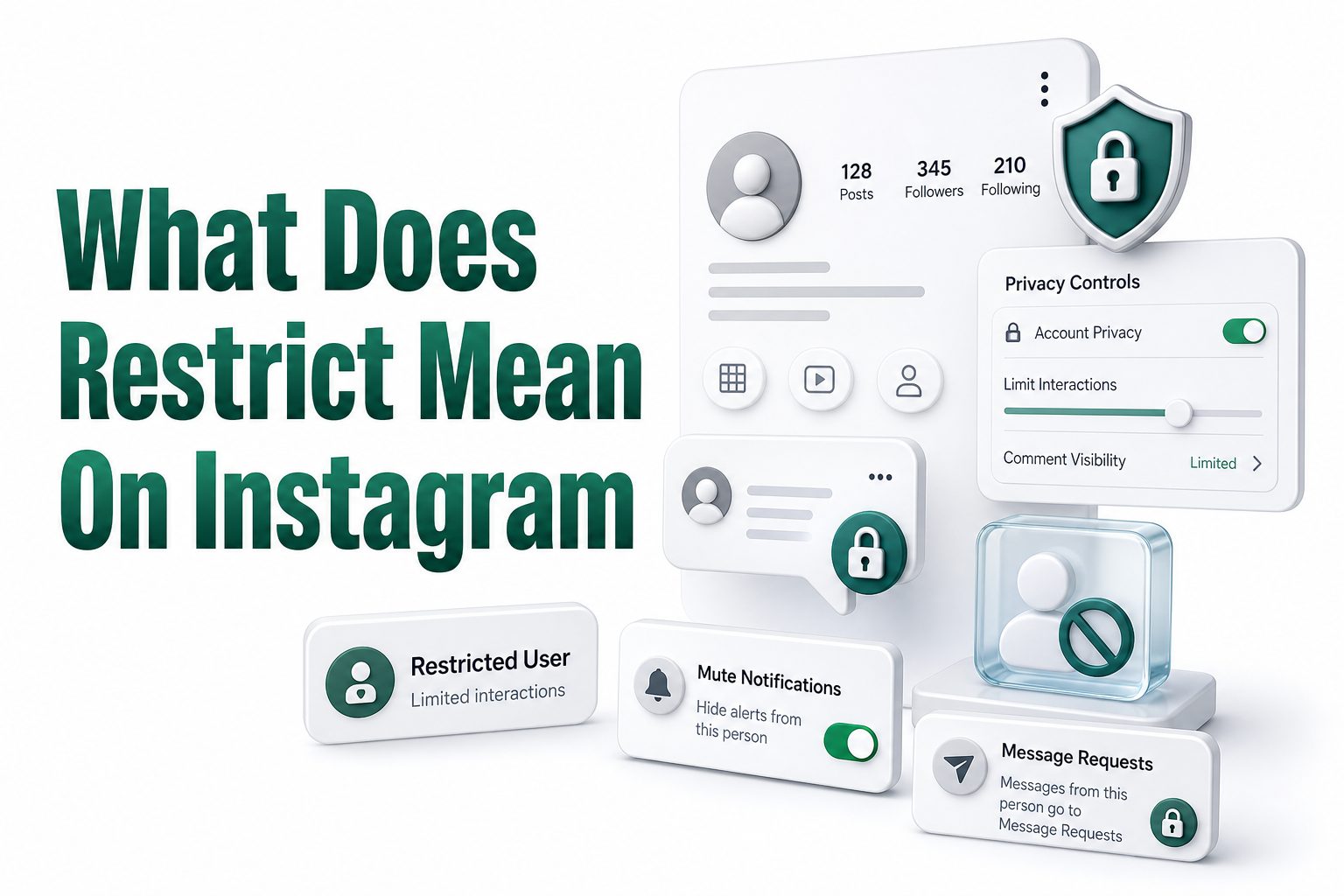
If you have ever wanted more control over someone’s behavior on Instagram without making a public scene, the Restrict feature was built for exactly that situation. Many users search what does restrict mean on Instagram because it sounds serious, but it is actually a quiet privacy tool that limits how another person can interact with you.
Restricting someone is different from blocking, unfollowing, muting, or hiding your story. It lets you reduce unwanted contact while keeping the other person mostly unaware. That makes it useful for awkward friendships, rude commenters, nosy followers, old classmates, difficult relatives, or anyone whose behavior makes Instagram feel less comfortable.
What Restrict Means on Instagram
Restrict on Instagram is a privacy setting that limits another user’s interaction with your account without fully cutting them off. When you restrict someone, their comments on your posts become less visible, their messages move away from your main inbox, and they cannot easily see when you are active.
The feature is designed to reduce pressure and unwanted attention quietly. Instead of blocking someone and possibly causing conflict, you can restrict them while still keeping your profile available. It gives you space, control, and privacy without making the action obvious to the restricted person.
How Instagram Restrict Works
When you restrict an account, Instagram changes how that person’s comments and messages appear to you. Their new comments on your posts are usually visible only to them unless you approve them. You can review, delete, ignore, or make those comments public whenever you choose.
Their direct messages also move into Message Requests rather than staying in your regular inbox. You will not receive normal notifications from them, and they will not see read receipts. This makes Restrict especially helpful when someone keeps messaging you but blocking feels too extreme.
Important Facts About Restrict
- Restrict is private, and Instagram does not notify the person.
- Restricted users can still view your profile if your account settings allow it.
- Their comments are hidden from others unless you approve them.
- Their messages move to Message Requests instead of your main inbox.
- They cannot see when you are active or when you have read their message.
- Restrict is reversible, so you can remove it at any time.
Restrict Versus Block on Instagram
Blocking someone is a stronger action than restricting them. A blocked person generally cannot find your profile, see your posts, follow you, message you, or interact with your content. Restricting is softer because the person can still access your profile and may not realize anything changed.
This difference matters when you want privacy without confrontation. Blocking is best for harassment, spam, impersonation, or serious boundary issues. Restricting works better for people you still know, people you may see offline, or situations where you want less contact without an obvious break.
Restrict Versus Mute on Instagram
Muting someone controls what you see from them. If you mute a user’s posts, stories, or notes, their content stops appearing in your feed areas, but your interaction with them does not change much. They can still comment normally and message your inbox.
Restricting controls how they interact with you. It affects their comments, messages, activity visibility, and read receipts. If someone’s content annoys you, mute is often enough. If their behavior toward you is the problem, Restrict is usually the better tool.
Quick Comparison Table
Feature | What It Does | Best For
Restrict | Limits comments, messages, activity status, and read receipts | Quietly reducing unwanted interaction
Block | Stops most access to your profile and contact options | Serious harassment, spam, or safety concerns
Mute | Hides someone’s posts or stories from your view | Avoiding content without changing the relationship
Unfollow | Removes their content from your feed | Ending
Hide Story | Stops someone from seeing your stories | Keeping stories private from specific people
What Happens to Comments From Restricted Accounts
When a restricted person comments on your post, Instagram usually hides that comment from everyone except the person who wrote it. To them, it may look like the comment posted normally. To you, it appears in a controlled way so you can decide what happens next.
You can approve the comment if it is harmless, delete it if it is rude, or leave it hidden. This is useful when someone leaves passive-aggressive remarks, embarrassing jokes, repeated criticism, or comments meant to provoke you in front of other followers.
What Happens to Messages From Restricted Accounts
Messages from restricted users move into Message Requests, which keeps them out of your main inbox. You can read those messages without sending a seen receipt. The other person will not know that you opened the message unless you choose to respond.
This helps when someone sends repeated messages, pressures you to reply, or watches your read receipts too closely. Restricting gives you room to check messages on your own terms while reducing the social pressure that often comes with Instagram DMs.
Comment Control Checklist
- Review comments from restricted users before making them public.
- Delete comments that are rude, personal, or meant to embarrass you.
- Approve comments only when you are comfortable with others seeing them.
- Leave comments hidden when you do not want to react.
- Use block or report if the comments become threatening or abusive.
- Check your privacy settings if comment issues happen often.
Can Restricted Users See Your Posts and Stories
Restricting someone does not automatically hide your posts, reels, profile, or stories from them. If your account is public, they can usually still see your public content. If your account is private and they already follow you, they can still view content available to followers.
If you want to stop someone from seeing your stories, use the Hide Story setting. If you want to stop them from seeing your profile content entirely, blocking is the stronger option. Restrict is mainly about interaction control, not full content hiding.
Can Restricted Users See Your Activity Status
A restricted person cannot easily see when you are active on Instagram or when you were last active. This protects your presence on the app and prevents the other person from tracking whether you are online, available, or ignoring their messages.
This part of Restrict is often overlooked, but it matters. Activity status can create pressure, especially when someone expects quick replies. Restrict helps remove that pressure by making your availability less visible to the person you restricted.
When Restrict Is Better Than Blocking
Restrict is useful when blocking would create more drama than it solves. For example, you might restrict a coworker who comments too much, a relative who sends judgmental messages, or an old friend whose behavior feels uncomfortable but not dangerous.
It is also helpful when you want time to decide what to do next. Restricting someone can be a temporary boundary while you monitor their behavior. If the problem fades, you can unrestrict them. If it gets worse, blocking or reporting may be necessary.
When Blocking Is the Better Choice
Blocking is better when someone is harassing, threatening, stalking, impersonating, or repeatedly violating your boundaries. Restrict is quiet, but it does not fully remove access. If safety, privacy, or emotional wellbeing is at risk, a stronger action is often more appropriate.
You should also consider reporting accounts that break Instagram’s rules. Reports help Instagram review harmful behavior, while blocking protects your account directly. Restrict can reduce exposure, but it is not a substitute for stronger safety steps in serious situations.
Practical Tips for Choosing the Right Option
- Use Restrict when you want less contact without alerting the person.
- Use Block when you want to stop access and communication clearly.
- Use Mute when their content bothers you but their behavior does not.
- Use Hide Story when you only want to limit story visibility.
- Use Report when the account may be violating Instagram rules.
- Use Private Account settings if unwanted attention is frequent.
How to Restrict Someone on Instagram
You can restrict someone from their profile, from a comment, from your messages, or through your privacy settings. The exact menu labels may vary slightly by app version, but the feature is usually found under account options or privacy controls.
From a profile, open the person’s page, tap the menu icon, and choose Restrict if available. From comments, you can manage a specific commenter directly. From messages, open the conversation options and apply Restrict to move future messages away from your inbox.
How to Know If You Restricted Someone
Instagram lets you manage restricted accounts through privacy settings. You can open your settings, go to privacy controls, and look for the restricted accounts area. There, you can review who is restricted and remove the restriction if needed.
This list is helpful if you use Restrict often or applied it during a tense moment. Since Instagram does not always make restricted status obvious in everyday browsing, checking settings is the cleanest way to confirm which accounts are currently limited.
Signs You May Need to Restrict Someone
- You feel pressured to reply whenever they message.
- Their comments make you uncomfortable or embarrassed.
- They monitor your online status too closely.
- Blocking them would create unnecessary conflict.
- You want to review their comments before others see them.
- You need distance but do not want a dramatic social signal.
Will Someone Know You Restricted Them
Instagram does not send a notification when you restrict someone. The person will not receive an alert, message, or visible label saying they have been restricted. This is one of the main reasons users choose Restrict instead of Block.
However, a restricted person might suspect something if they notice patterns. For example, their comments may not receive responses from others, or they may stop seeing your active status. Still, Instagram does not directly confirm the restriction to them.
Can Restricted Users Still Follow You
Yes, restricting someone does not automatically remove them as a follower. If they already follow you, they can usually continue following your account unless you remove them or block them. Restrict focuses on interaction limits rather than follower removal.
If you have a private account and want someone gone from your follower list, remove them as a follower. If your account is public, removing a follower may not stop them from viewing public content. In that case, blocking provides stronger separation.
Common Misconceptions About Restrict
- Restrict does not hide all your posts from the person.
- Restrict does not remove the person from your followers.
- Restrict does not notify the account you restricted.
- Restrict does not stop every possible interaction.
- Restrict is not the same as muting.
- Restrict can be removed whenever you want.
How Restrict Helps With Online Boundaries
Instagram can feel personal because comments, DMs, story views, and activity indicators all happen in one place. Restrict gives you a way to set boundaries without making a public statement. It lets you reduce friction while keeping control over your space.
Healthy boundaries online do not always require a big action. Sometimes you simply need fewer notifications, less visibility, and more control over replies. Restrict fits that middle ground, especially when social relationships are complicated or connected to real life.
Restrict for Teens and Younger Users
For teens, Restrict can be a useful tool against bullying, uncomfortable comments, or pressure from classmates. It lets them limit someone’s impact without escalating the situation immediately. Parents may also find it helpful when teaching safer social media habits.
Still, young users should not rely only on Restrict if someone is threatening them or sharing harmful content. In those cases, blocking, reporting, saving evidence, and speaking with a trusted adult are more suitable steps. Restrict is helpful, but safety comes first.
Boundary Benefits
- Fewer unwanted message notifications.
- More control over public comments.
- Less pressure from read receipts.
- Reduced visibility of your active status.
- A quieter alternative to blocking.
- More time to decide whether stronger action is needed.
Restrict for Creators and Public Accounts
Creators, small business owners, and public accounts often deal with comments from strangers, customers, fans, and critics. Restrict can help manage low-level negativity without turning every rude comment into a public argument. It keeps the comment section cleaner and more controlled.
For creators, Restrict is especially useful when someone repeatedly derails conversations or posts baiting comments. Instead of feeding the conflict, the creator can quietly limit visibility. This protects the community tone while avoiding unnecessary attention for disruptive behavior.
Restrict for Personal Relationships
Restrict is often used in personal situations where relationships are awkward rather than clearly harmful. Maybe someone checks your status too often, sends messages you do not want to answer, or leaves comments that feel too familiar for your comfort.
Because the feature is discreet, it gives you room to manage those relationships carefully. You can reduce contact without announcing that you are upset. This makes Restrict useful for social circles where blocking might create gossip, confrontation, or offline tension.
Best Practices for Personal Use
- Restrict early if someone’s behavior starts affecting your comfort.
- Do not use Restrict as your only safety tool in serious cases.
- Combine Restrict with story privacy settings when needed.
- Keep screenshots if someone sends concerning messages.
- Review restricted accounts occasionally.
- Trust your judgment if an interaction feels unhealthy.
How to Unrestrict Someone
Unrestricting someone is simple. You can usually return to their profile, open the menu, and choose Unrestrict. You can also manage restricted accounts through privacy settings, where Instagram lists accounts currently under restriction.
Once you unrestrict someone, their comments and messages return to normal behavior. Their future messages may appear in your regular inbox again, and comment handling changes back. Before removing the restriction, consider whether the original issue has actually improved.
What Restrict Does Not Do
Restrict does not make your account invisible, erase past conversations, remove old comments, or stop someone from seeing all content available to them. It also does not prevent them from mentioning you elsewhere or contacting you from another account.
This is why it is important to choose the right privacy tool. If you need full separation, Restrict may feel too limited. If you need a quiet filter for comments and messages, it can work well without changing your whole account setup.
Quick Decision Guide
- Choose Restrict for uncomfortable but manageable interactions.
- Choose Block for people you do not want contacting you at all.
- Choose Report when behavior breaks platform rules.
- Choose Hide Story for story-only privacy.
- Choose Remove Follower when a private-account follower should no longer see posts.
- Choose Mute when you only want to stop seeing someone’s content.
How Restrict Affects Read Receipts
One of the most useful parts of Restrict is how it handles read receipts. When a restricted user sends you a message, you can read it from Message Requests without showing that you have seen it. This gives you more control over response timing.
For people who feel anxious about replying immediately, this can make Instagram less stressful. You can decide whether a message deserves a response without signaling that you opened it. That small privacy change can make a big difference in uncomfortable conversations.
How Restrict Fits With Instagram Privacy Settings
Restrict works best when paired with other Instagram privacy tools. Comment filters, hidden words, private accounts, close friends, story hiding, and message controls all serve different purposes. Together, they help you shape who can reach you and how visible you are.
For a stronger privacy setup, review your account settings regularly. You can also read more about related account controls here: [Internal Link: Instagram Privacy Settings]. If unwanted contact is a recurring issue, a broader privacy check is worth doing.
Privacy Settings Worth Reviewing
- Comment controls for who can comment on your posts.
- Message settings for who can send requests.
- Story settings for hidden viewers and close friends.
- Activity status settings for online visibility.
- Tags and mentions settings for unwanted attention.
- Hidden words filters for offensive comments and messages.
Common Examples of Using Restrict
Imagine someone from work keeps commenting on your personal photos in a way that feels too familiar. Blocking them might make things awkward in the office, but doing nothing leaves you uncomfortable. Restrict lets you quietly review their comments before anyone else sees them.
Another example is a former friend who sends messages whenever they see you online. By restricting them, their messages move into requests, and they cannot use your active status or read receipts to pressure you. You stay in control without starting a confrontation.
Mistakes to Avoid With Restrict
A common mistake is assuming Restrict hides your entire account. It does not. If your profile is public, restricted users may still view your posts and reels. If you need content privacy, you should consider blocking, going private, or adjusting story settings.
Another mistake is ignoring serious behavior because Restrict feels convenient. If someone threatens you, shares private information, creates fake accounts, or repeatedly harasses you, take stronger steps. Restrict is useful for low-level boundary management, not every safety problem.
Helpful Internal Resources
- For broader account protection, read [Internal Link: Instagram Account Safety Tips].
- For comment control, review your hidden words and comment filter settings.
- For message pressure, adjust who can send requests.
- For story privacy, check hidden story and close friends options.
- For public accounts, monitor repeated offenders and restrict early.
- For serious issues, use block and report together.
Conclusion
Restrict is one of Instagram’s most practical privacy features because it handles a common problem: wanting distance from someone without turning it into a visible conflict. It limits comments, moves messages into requests, hides read receipts, and reduces activity visibility, all while keeping the action private.
The most important thing to remember is that Restrict is not the same as Block. It is a middle option for uncomfortable, annoying, or socially complicated interactions. If someone is dangerous, threatening, or repeatedly abusive, stronger tools like blocking and reporting are more appropriate.
For everyday situations, though, knowing what does restrict mean on Instagram can help you manage your account with more confidence. You do not have to reply immediately, publish every comment, or let another person’s behavior control your experience. Used thoughtfully, Restrict gives you quiet control over your Instagram space.
FAQ
Can a restricted person see my posts?
Yes, a restricted person can usually still see your posts if your account settings allow it. Restrict mainly affects comments, messages, read receipts, and activity visibility. Use Block or privacy settings if you want to limit content access.
Does Instagram notify someone when I restrict them?
No, Instagram does not notify users when they are restricted. They will not receive an alert or message. They may notice subtle changes, but Instagram does not directly tell them that you used the Restrict feature.
Can restricted users message me?
Yes, restricted users can still send messages, but those messages move to Message Requests. You can read them without sending a seen receipt. Their messages will not appear in your main inbox like normal conversations.
Is restricting someone better than blocking?
Restricting is better for quiet boundaries and awkward social situations. Blocking is better when you want to stop contact clearly. If someone is harassing, threatening, or repeatedly bothering you, blocking and reporting are usually stronger choices.
Can I unrestrict someone later?
Yes, you can unrestrict someone at any time. Go to their profile or your restricted accounts list in privacy settings and remove the restriction. After that, comments and messages from that account return to normal behavior.
0 Comments